The Problem
Waiting in line wastes everyone's time
Customers at small shops often wait 30–90 minutes without knowing their position. Many walk away when they see a crowd, so shops lose business.
30–90 min
Long waits
Customers sit in the shop without knowing their position.
No idea
Unknown wait time
Nobody can tell how long the wait will be.
Lost sales
People walk away
Shops lose customers who see a crowd at the door.
Complex
Costly tools
Existing queue systems are paid, and hard for a small shop.
The Solution
One queue, two simple views
QueueLess moves the queue to the customer's phone. Customers join by QR code, wait anywhere, then return when their turn is near. The owner runs everything from one simple dashboard.
Customer view (no login)
- Scan a QR code, or open a share link
- Enter a name, get a ticket number
- See live position with estimated wait
- Get alerted when your turn is near
Owner dashboard (login)
- Create queues with a QR code
- Call next, skip or mark done
- See who has arrived
- Check daily stats
App Tour
From login to the last customer
Owner side Dashboard
Register
- The owner creates an account with an email and password
Log in
- The owner logs in to manage their queues
Forgot password
- The owner can reset a forgotten password with a link
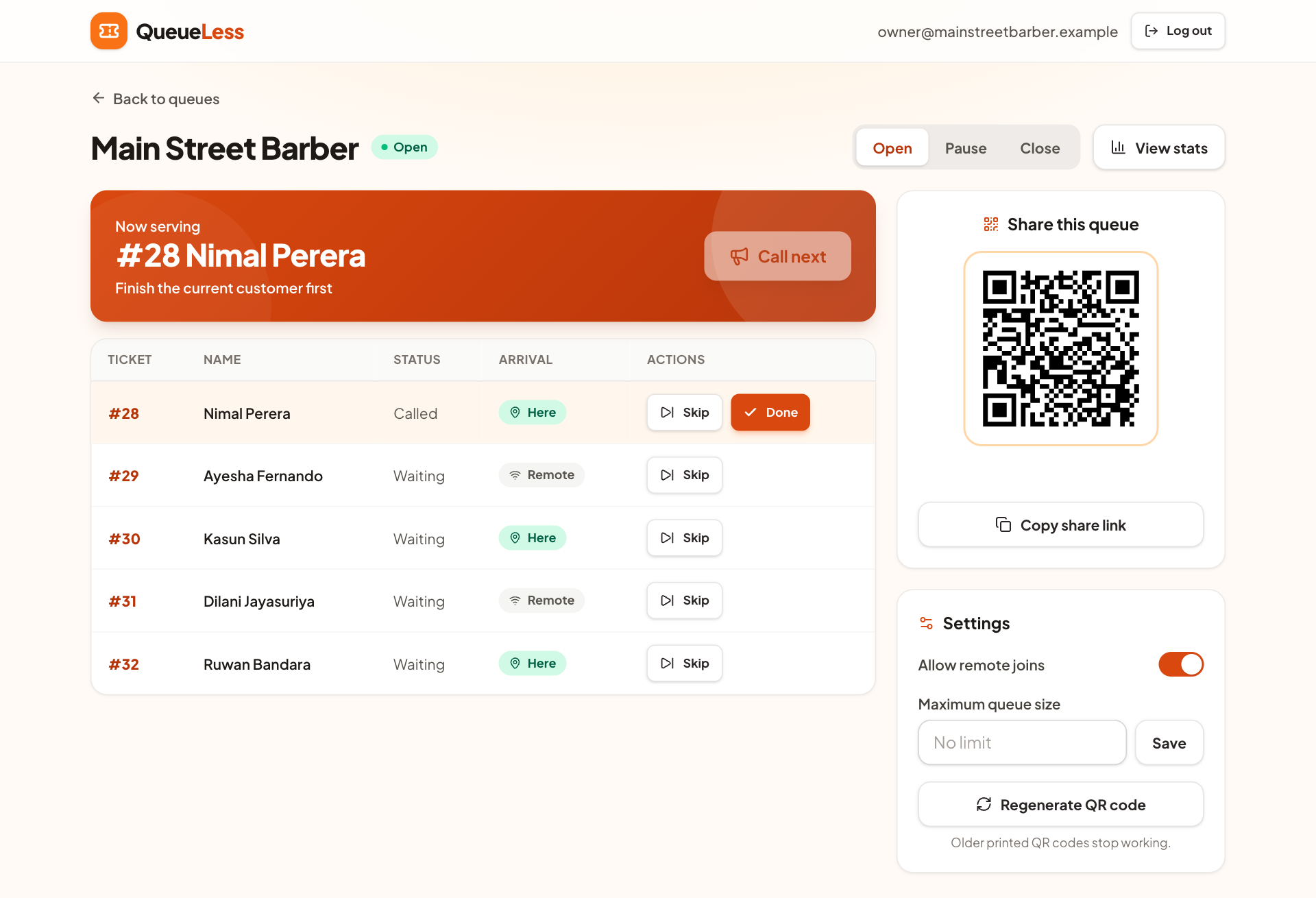
Dashboard
- Create a queue for each shop or counter
- See which queues are open, paused or closed
Queue control
- Call next brings in the next customer
- Done or Skip finishes the current customer
- Here or Remote shows who has arrived
- Share the QR code, then set the queue rules
Daily stats
- See customers served, skipped, average wait and average service time
- Pick any date
Customer side Phone
7. Join
Scan the QR code, enter a name.
8. Live ticket
See people ahead and estimated wait. Tap I'm here on arrival.
9. Turn alert
An alert appears when two people are ahead.
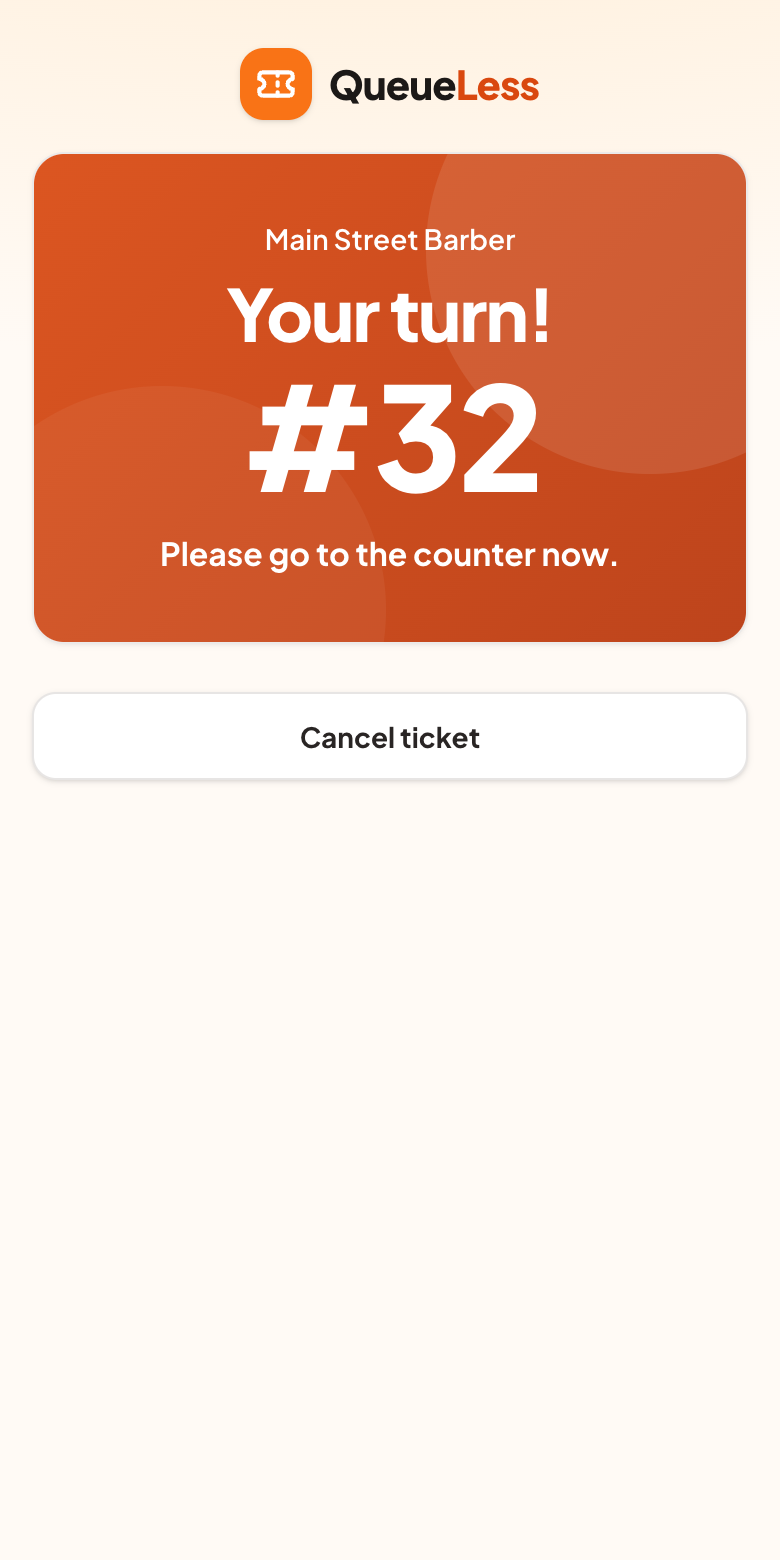
10. Your turn!
The owner calls, and the phone shows it instantly.
11. Shop-only mode
The owner can allow joining only at the shop.
Features
What the system does
QR code with share link
Join at the shop by QR, or from home by link.
Live position
Position with estimated wait, updated instantly.
Smart wait estimate
Uses today's real service time, else the queue default.
Owner controls
Call next, skip, done, pause, close.
Queue settings
Block remote joins, or set a maximum queue size.
Arrival check-in
I'm here marks a customer as present. QR joins check in automatically.
Turn alerts
Sent once when two people are ahead, again on your turn.
Daily ticket numbers
Numbers restart at 1 each day. Old tickets clear themselves.
Automatic reconnect
If the network drops, the page reconnects by itself.
Ticket life cycle
A ticket can also leave the queue as skipped (by the owner) or cancelled (by the customer, or automatically the next day).
Architecture
Three simple parts
CI/CD: GitHub → GitHub Actions (Lint, Test, Build) → Auto-deploy from main
Frontend = the shop window
Shows screens in the browser. It makes no decisions by itself.
Backend = the manager
Checks every request, applies the rules, then tells all screens.
Database = the record book
Keeps every owner, queue and ticket safely.
Data Flow
How one action reaches every screen
A. Customer joins
- Customer scans the QR code
- React sends the name to the REST API
- Go locks the queue, checks the rules, then saves a ticket
- The phone stores a secret ticket token
- The WebSocket hub broadcasts
queue_updated
B. Owner calls next
- Owner clicks Call next, sending the JWT
- Middleware checks the token, then ownership
- A database transaction marks the ticket
called - The hub broadcasts the change
- The customer sees Your turn!, others move up
C. Customer arrives
- Remote customer reaches the shop
- Taps I'm here, sending the ticket token
- Go saves the check-in time once
- The hub broadcasts the change
- The owner sees a Here badge
Technology
Built with free, open-source tools
Frontend
Backend
Data & Testing
DevOps
Security
How the system stays safe
| Risk | Protection |
|---|---|
| Stolen passwords | Hashed with bcrypt, never stored as plain text |
| Owners touching other queues | JWT check, then ownership check on every request |
| Faking another ticket | Each ticket has a secret token only its holder knows |
| Password guessing, spam joins | Rate limiting per IP |
| Two customers, one number | Database row locks in a transaction |
| SQL injection | Parameterized queries through sqlc |
| Requests from other websites | CORS, WebSocket origin checks |
| Remote no-shows | Shop-only mode, maximum queue size, arrival check-in |
| Customer privacy | Live broadcasts contain ticket numbers, never names |
